
Tiers & Requirements
CS Nodes are divided into 4 performance tiers. Each tier has specific collateral, hardware, and network requirements. The benchmark daemon (csbenchd) automatically verifies your hardware before your node can join the active network.
Tier Overview
                         CS Node Tiers
    ┌────────────────────────────────────────────────────┐
    │                                                    │
    │  FOTON     ●●●●●●●●●●●●●●  Enterprise  500K CS    │
    │  NEUTRON   ●●●●●●●●●       High        100K CS    │
    │  ELETRON   ●●●●●           Mid          25K CS    │
    │  PROTON    ●●              Entry        10K CS    │
    │                                                    │
    └────────────────────────────────────────────────────┘
PROTON — Entry Tier
Collateral: 10,000 CS
Block Reward Share: 5% per block (split among all active PROTON nodes)
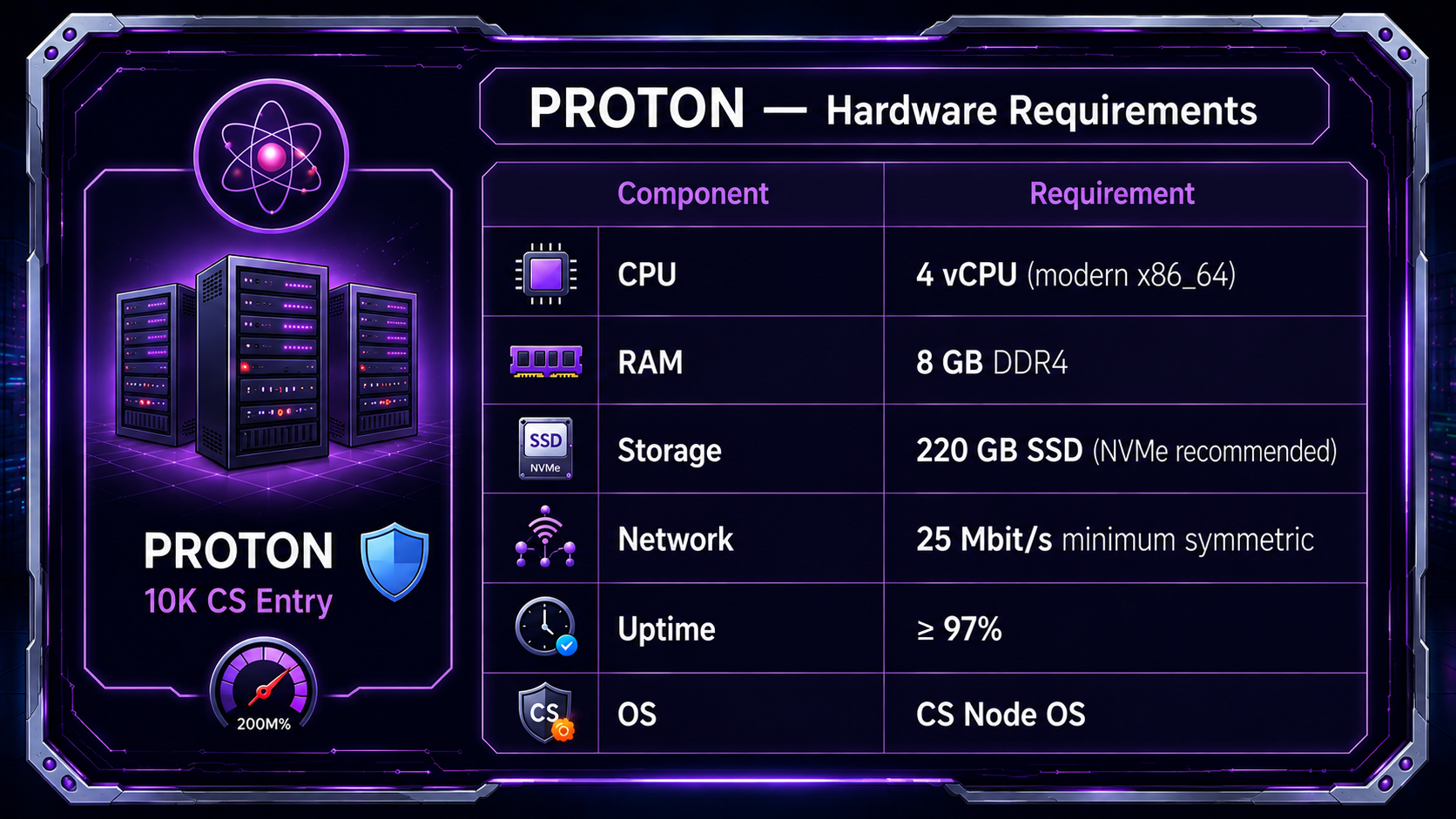
Who is it for?
- Individuals new to node operations
- Smaller investors looking to participate in the network
- Home servers or entry-level VPS
ELETRON — Mid Tier
Collateral: 25,000 CS
Block Reward Share: 10% per block (split among all active ELETRON nodes)
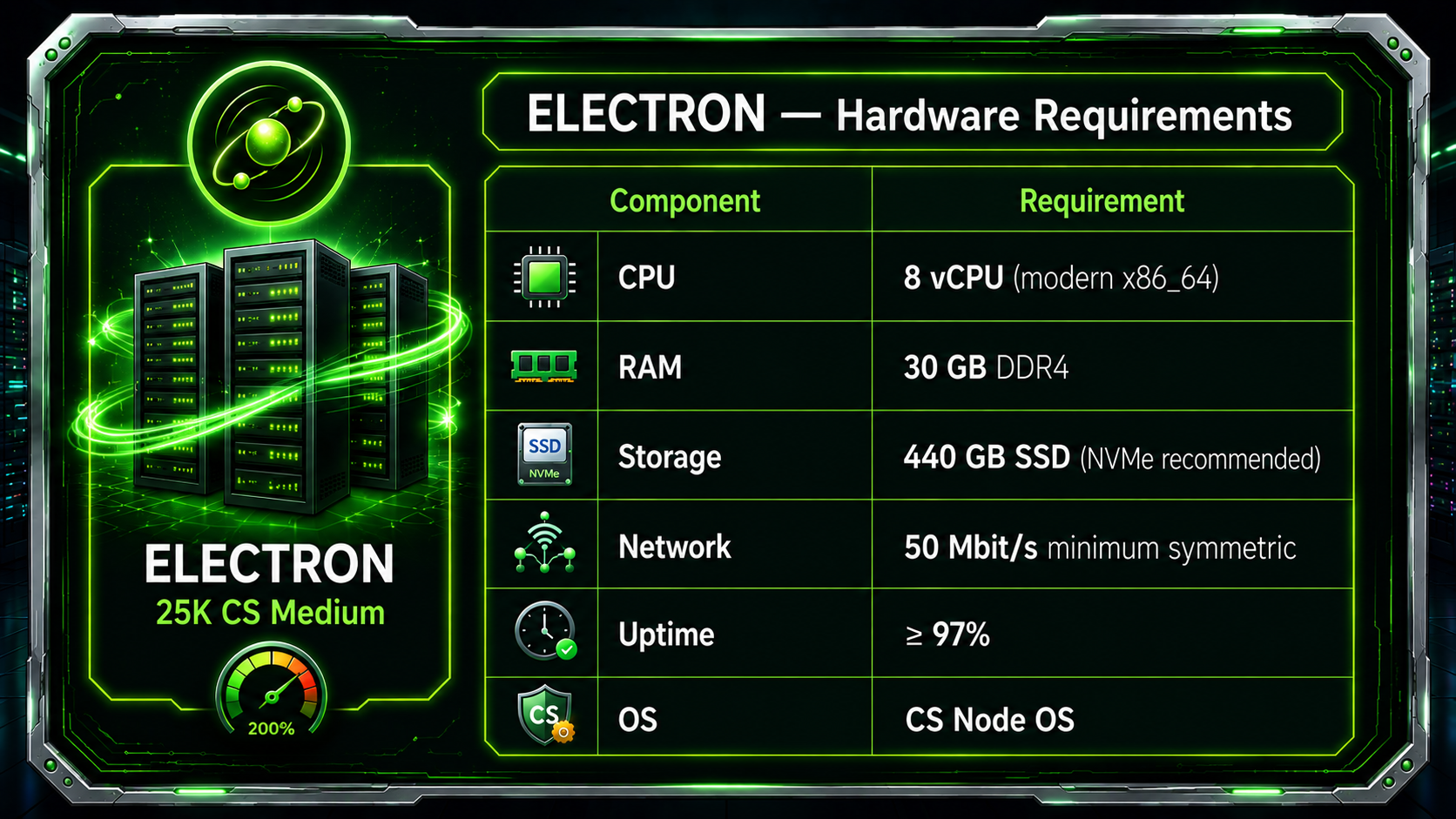
Who is it for?
- Experienced node operators
- Mid-range dedicated servers or cloud VMs
- Users wanting greater reward share per node
NEUTRON — High Tier
Collateral: 100,000 CS
Block Reward Share: 20% per block (split among all active NEUTRON nodes)
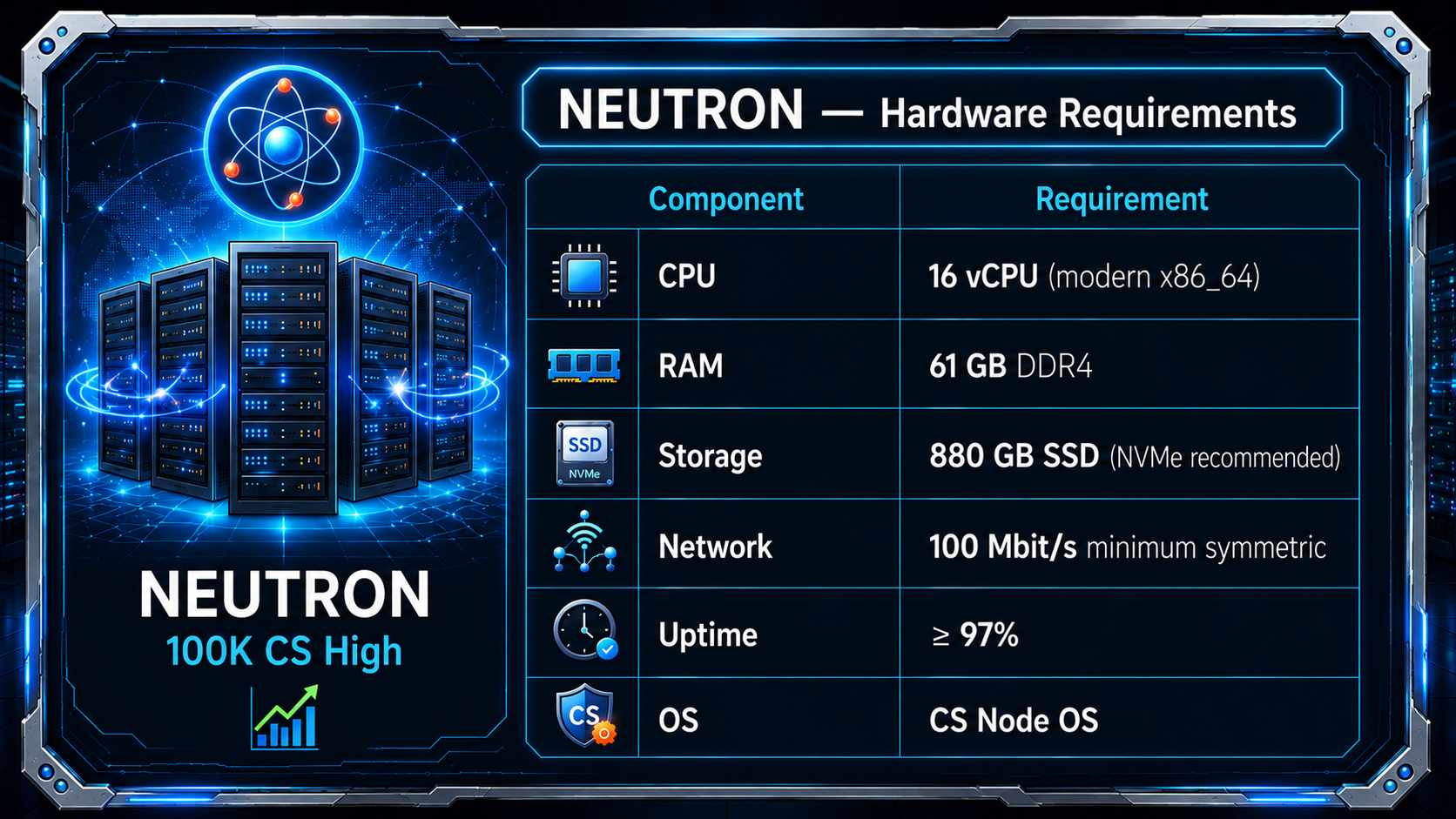
Who is it for?
- Professional operators and infrastructure providers
- High-bandwidth dedicated server environments
- Users targeting the highest practical yield-per-node ratio
FOTON — Enterprise Tier
Collateral: 500,000 CS
Block Reward Share: 40% per block (split among all active FOTON nodes)
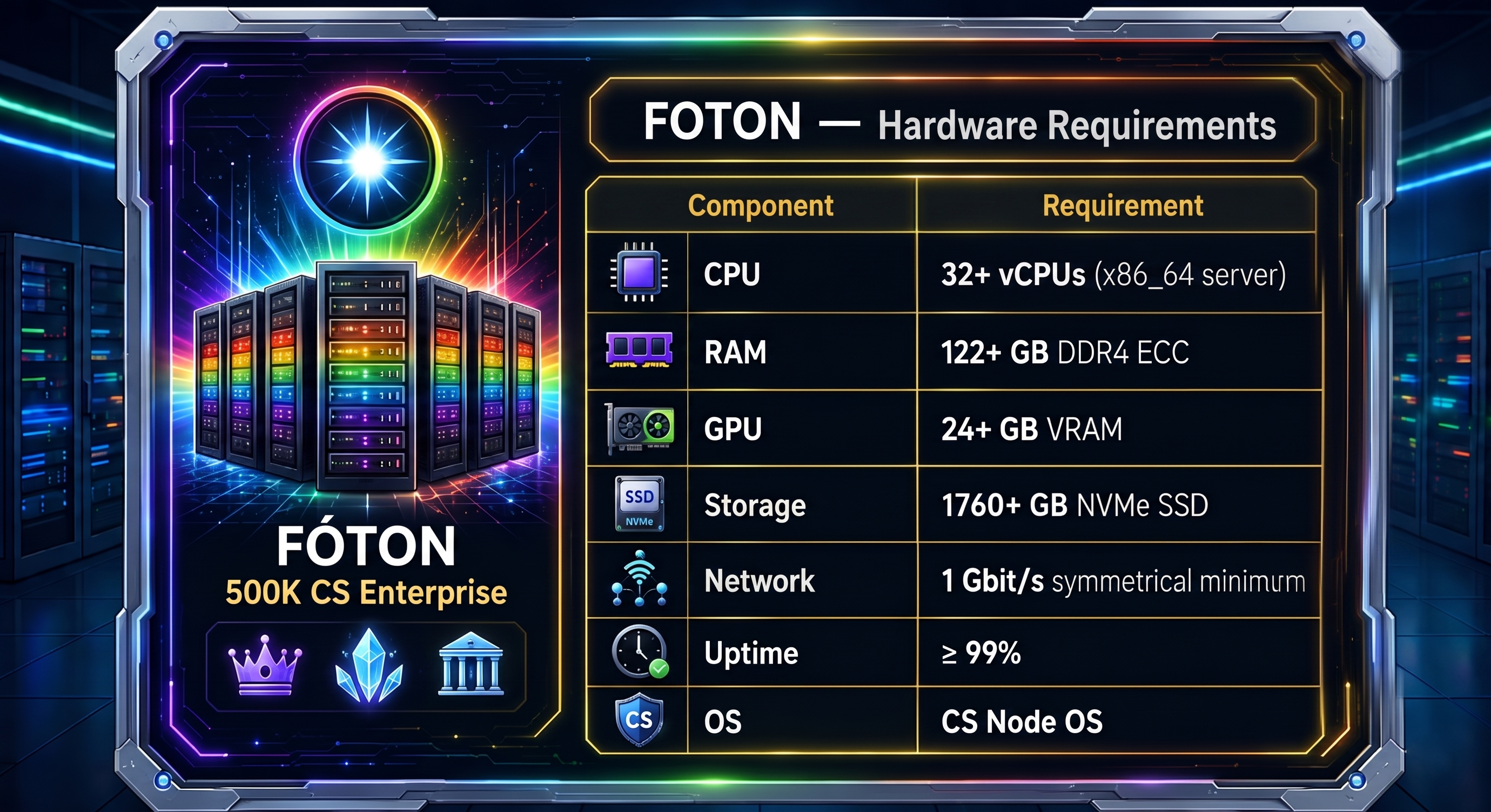
Who is it for?
- Enterprise data centers and infrastructure companies
- Operators targeting the largest single-node reward share (40% of block reward)
- Providers of premium CS Cloud hosting capacity
Full Comparison Table
| Parameter | PROTON | ELETRON | NEUTRON | FOTON |
|---|---|---|---|---|
| Collateral | 10,000 CS | 25,000 CS | 100,000 CS | 500,000 CS |
| vCPU | 4 | 8 | 16 | 32+ |
| RAM | 8 GB | 30 GB | 61 GB | 122+ GB |
| GPU | — | — | — | 24+ GB |
| Storage | 220 GB SSD | 440 GB SSD | 880 GB SSD | 1760+ GB SSD |
| Bandwidth | 25 Mbit/s | 50 Mbit/s | 100 Mbit/s | 1 Gbit/s |
| Block Reward Share | 5% | 10% | 20% | 40% |
Hardware Verification
Before a CS Node is allowed to join the active network, the csbenchd daemon benchmarks the machine:
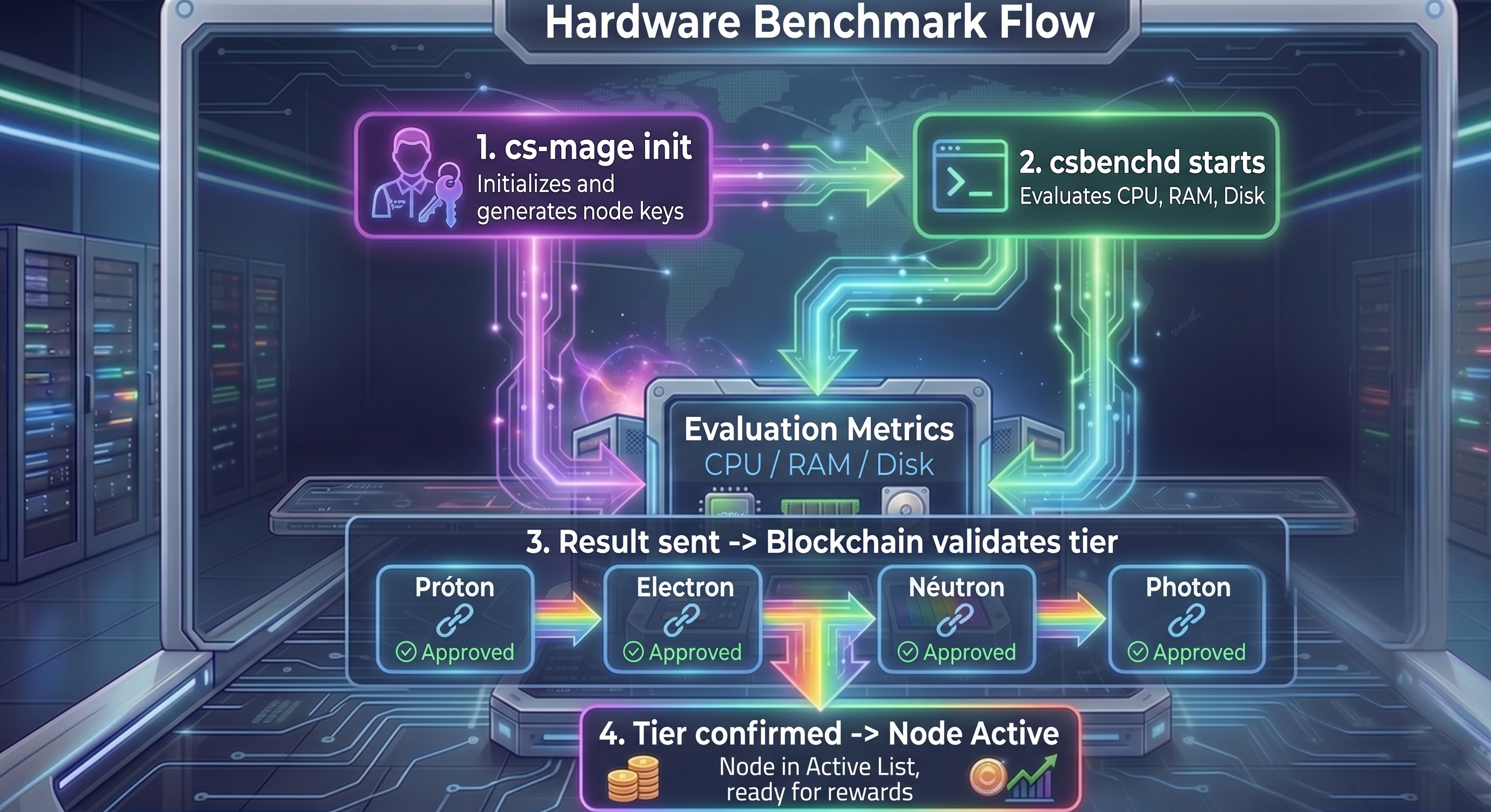
The benchmark daemon runs on localhost:26225 and is never exposed to the internet. Its results are signed and submitted to the blockchain as a benchmark transaction.
Collateral Requirements
How collateral works
- Send the exact collateral amount to a new wallet address
- Wait for 100 block confirmations (~3.3 hours at 2 min/block)
- Note the transaction ID and output index (UTXO)
- Reference it in your node startup transaction
Important rules
- The collateral must be in a single UTXO (one transaction output, not split)
- If you spend the collateral UTXO, your node deactivates immediately
- You can move your collateral at any time — the node will restart once the new UTXO reaches 100 confirmations
Network Ports
| Port | Protocol | Purpose | Visibility |
|---|---|---|---|
26124 | TCP | CS Daemon RPC | localhost only |
26125 | TCP | CS P2P Network | public |
26225 | TCP | Benchmark Daemon RPC | localhost only |
8080 | TCP | CS Mage Web Panel | localhost / VPN |
Next Steps
- Rewards & Halving Schedule — How block rewards are distributed
- Setting Up a CS Node — Complete setup guide
- What are CS Nodes? — Back to overview